
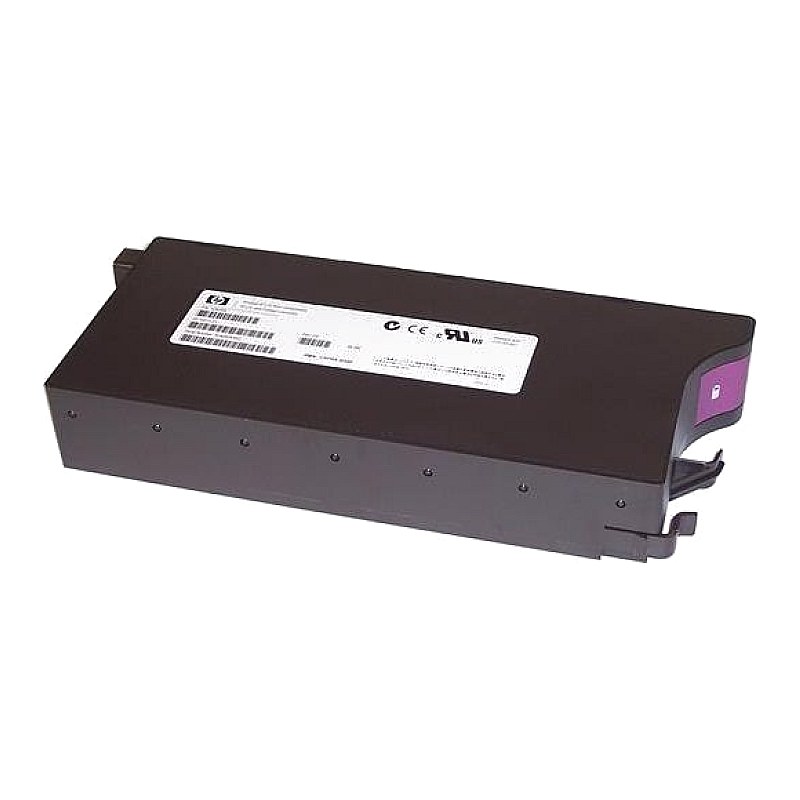
512735-001 HP EVA 4/6/8000 Controller Battery

R7 219.05
was
Includes VAT
Email me when it's back
Tell me if the price drops
HP Enterprise 4.0V Controller Cache Battery for EVA4000/6000/8000 HPN: 512735-001,AD626A, AD626B,348879-005
Description:
HP EVA4/6/8000 Controller Battery 4V 13.5A-HR replacement
Part #:(s)
:: Spare Part #: 512735-001
:: Option Part #: AD626A or AD626B
:: Alt. Part Identifier: CSPRA-B300Specs:CategoryProliant OptionSub-CategoryBatteryGenerationEVA4/6/8000Part Number512735-001,348879-005Battery capacity1350 mAhBattery voltage4 V Condition New Warranty 1 (one) year Tekmart warranty Compatibility: Compaq/HP StorageWorks: EVA 4000, EVA 4100, EVA 8000
HP/Compaq StorageWorks: EVA 8100 Enterprise Virtual Array
Key points to note on these 512735-001 HP Enterprise 4.0V Controller Cache Batteries:-
This is the genuine OEM HP Cache Battery with Part #(s): 512735-001 4V 13.5Ahr for the EVA 4000 6000 8000.
This battery pack replaces HP Part #(s): 348879-001, 348879-005, AD626A, AD626B, 30-10018-11, 30-10013-S1, 30-10013-01.
The End User requires no hardware-specific training to replace the defective part. The End user should have familiarity with system hardware and software requiring repair. The replacement part number will vary depending on the cache battery that is being replaced.
Instructions to remove and replace these batteries..
Cache battery removal
- Review the safety considerations before performing the steps listed below by clicking on the following link: CAUTION:Failure to comply with the precautions could result in damage to your product or loss of data.
- NOTE: Be sure to put on your electrostatic discharge wrist strap to avoid damaging any circuitry.
- Remove the front bezel by grasping both ends and pulling it off the enclosure.
- If the cache battery you want to remove is located behind the OCP, open the OCP by squeezing the latch tabs together (1) and swinging the door open.
- For any cache battery, move the battery mounting latch to the right and grasp the pull handle.
- Position one hand under the battery, and pull the battery out of the enclosure.
Cache battery replacement
- Position the battery as high in the slot as possible, then slide the battery into the enclosure until it is fully seated and the mounting latch engages.
- After checking battery status indicators, close the OCP door if open and install the front bezel by pressing it firmly into place.
- Free collection from our store
- Secure checkout


